
Prepare your WordPress site for manual configuration
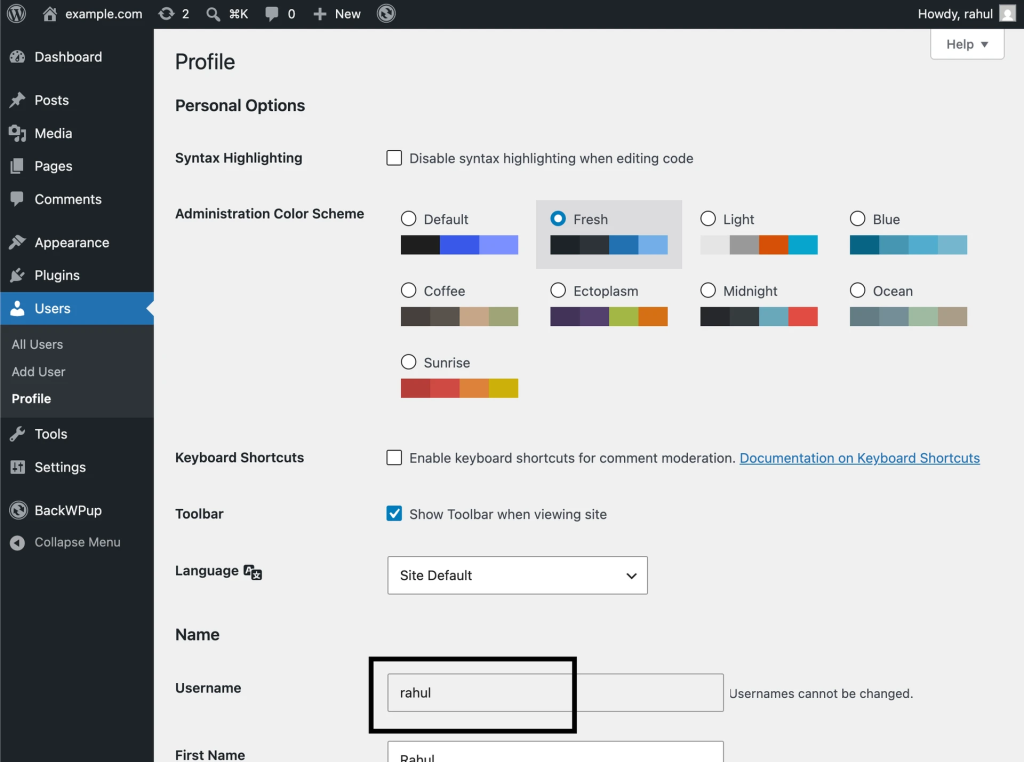
Before configuring your AI assistant, you’ll need:
- your WordPress username
- an Application Password generated from your WordPress profile
Steps
- Log in to your WordPress admin dashboard.
- Go to Users → Profile.
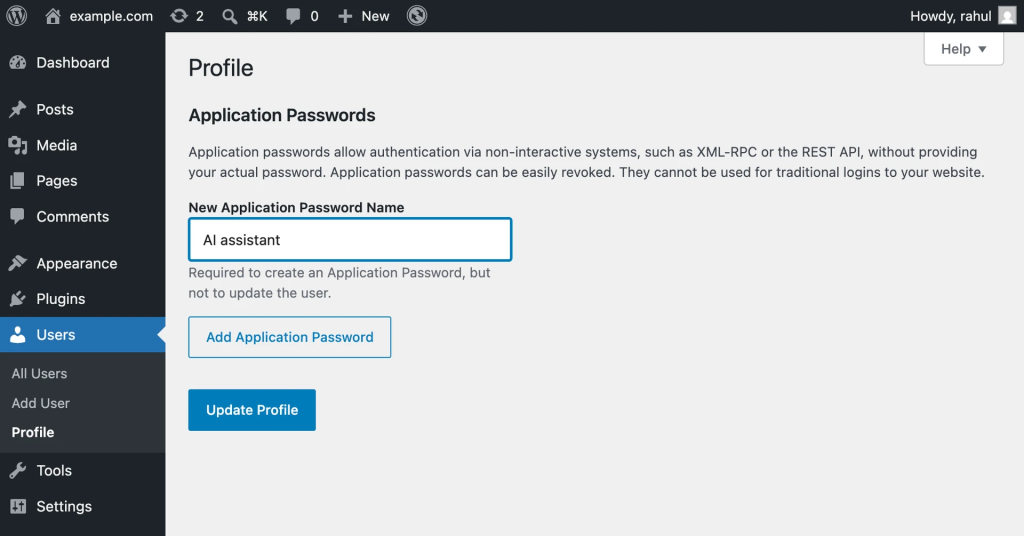
- Scroll down to the Application Passwords section.
- Enter a name for the application password.
Example:AI assistant
- Click Add New Application Password.
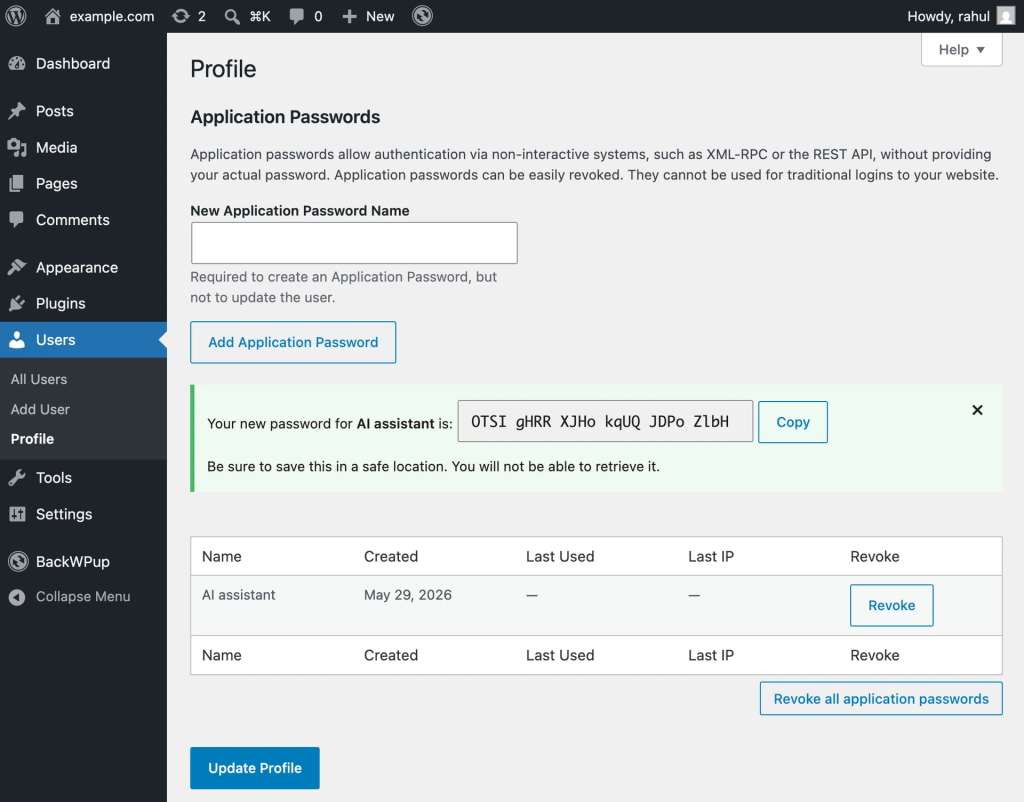
6. Copy the generated password and keep it somewhere safe.
You’ll use the following information in the next step:
- WordPress site URL
- WordPress username
- Application Password
Was this guide helpful?
 Great! Glad we could help!
Thanks for your feedback
Great! Glad we could help!
Thanks for your feedback
Great! Glad we could help!
Thanks for your feedback
Great! Glad we could help!
Your feedback has been sent to our team We value every bit of feedback we receive as it helps us to improve our products and services. Thank you for your time.